| |
| |
All front-end users are asked to enter a login name and password. How to turn this off?
| Author: Edward Hardin Reference Number: AA-00307 Views: 18272 Last Updated: 12/16/2010 03:56 PM |
0 Rating/ Voters
|
 |
Sure. Do the following to turn off front-end login: - Go to Customization > Styling and Front-end Settings.
- Set checkbox for Disable Front-end Login option.
- Click "Save".
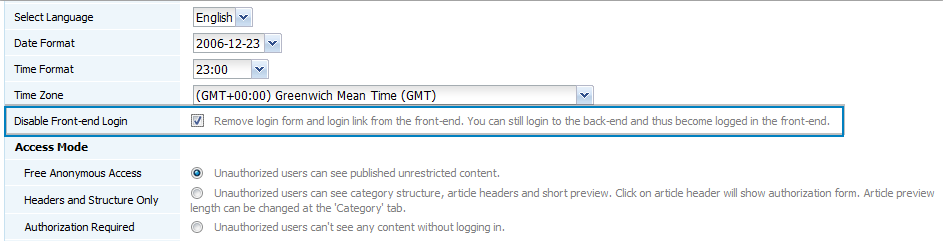
Since front-end and back-end login use the same session, if you login to the back-end you will also become logged in in the front-end. Thus you do not lose ability to create/edit articles and access to restricted articles from the front-end. And your customers do not see somewhat confusing (if they do not have account in knowledge base) login menu.
|
| |
|

 Categories