Your Account Language
To change the user interface language just for yourself, click on the My Account menu.
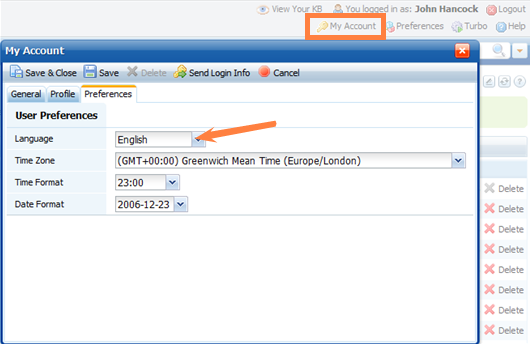
Then select the Preferences tab and click Edit.
Then you can change the Language option to a desired language.
After you click Save & Close, it will reload the application and apply the new UI language.
Global Setting for Anonymous Users
To change language for all anonymous front-end users, go to: Customization > Styling and Front-end Settings, and change the Select Language option.
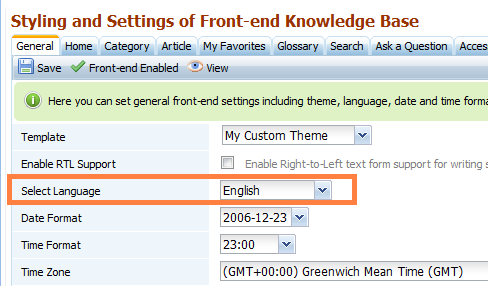
Click Save to apply changes.
This also changed the language of all automated emails sent by KMP.
When you are logged in to the knowledge base, your account language preference overrides the front-end language setting.



